Want to charge users when they register on your WordPress site? WordPress has no built-in way to collect payment during signup, so you need a plugin that creates a real user account and processes the payment in one step.
Most comparisons of these plugins stop at the price tag and skip the parts that decide whether the setup actually works: which gateways run at which tier, whether the plugin can stop card-testing bots hitting a public payment form, and what you can see after the money lands. In this roundup we compare five plugins built for registration and membership payments, scored on five things that matter once real money moves. All five create an actual WordPress user account and process payment natively.
How We Compared These Plugins
Ten plugins went into the shortlist. Five came out.
The bar to make the list
A plugin had to be actively maintained and independently vouched for. Where a WordPress.org listing exists, that meant checking active installs, star rating and last release date directly on the repository.
Paid-only plugins with no listing were checked a different way: a public changelog, third-party review volume, and a vendor with a verifiable operating history.
General form builders were cut on category grounds. A form builder with registration bolted on serves a different buyer than someone searching for a registration payment plugin specifically, and mixing the two blunted the comparison.
A few membership plugins were dropped for a different reason: discontinued free versions, pricing that now bundles managed hosting rather than selling the plugin alone, or a business model that no longer compares cleanly against the five below.
What we scored
Five pillars, in the order you’d hit them building a paid signup flow:
- Form builder and payment field depth. Can you put a charge on the registration form itself, with real field types and conditional logic?
- Payment gateway support. Which gateways work at which tier, and can the plugin charge a recurring subscription or only a single payment?
- Spam and fraud protection. A public form that takes card details attracts bots testing stolen card numbers in bulk. You eat the declined-transaction fees. So: what captcha options exist, and does anything throttle repeated attempts?
- Checkout experience. Is there a vetting step before someone pays, and does the charge happen before or after that review?
- Payment tracking and management. Once money lands, what can you see, filter, and fix from inside WordPress?
What we didn’t score. Price. What a plugin costs is reported in full for each entry, but we’re not ranking anyone on it. Whether $89 once beats $99 a year depends on your budget, not on the software.
We checked each vendor’s pricing page, WordPress.org listing and product documentation directly rather than working from marketing copy or third-party summaries. Pricing verified September 09, 2026.
Best WordPress User Registration Plugins Summary
Three of these five plugins — User Registration & Membership, Ultimate Member, and MemberPress — also show up in our broader best WordPress user registration plugins roundup.
That comparison weighs the full registration experience: form builders, community features, and integrations across the board.
This one narrows to a single question instead: which of these can actually charge someone at signup, with what gateways, at what price, and what you can see once the money lands. Read it as a companion to that roundup, not a rerun of it.
| Plugin | Best For | Payment Gateways | Pricing |
|---|---|---|---|
| User Registration & Membership | One-time signup payments and recurring memberships in one plugin | Stripe, PayPal, Authorize.net, Mollie, offline. Recurring supported. | Free · from $99/yr · renews $99/yr |
| RegistrationMagic | Reusable price fields shared across every registration form | Stripe, Authorize.net, PayPal, offline | Free · from $89 one-time · no renewal (1 yr updates) |
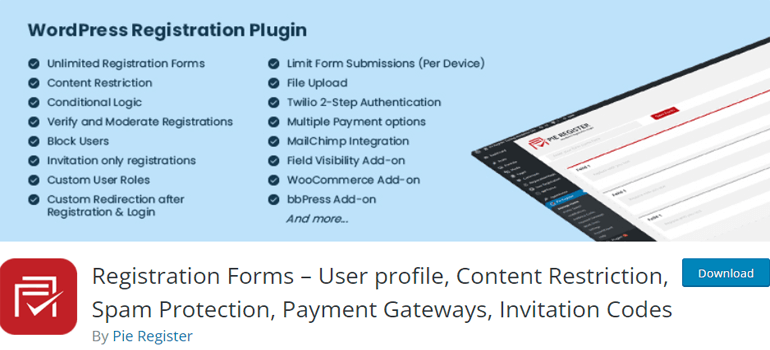
| Pie Register | Pick only the gateway you need, without a bundle | PayPal Standard free. Stripe from $10.99, Authorize.net $19.99, each sold alone | Free · from $10.99 one-time · no renewal |
| Ultimate Member | Member profiles and directories around the paid account | None on free. Stripe with recurring via the $65/yr extension | Free · from $65/yr · renews $65/yr |
| MemberPress | Course delivery and drip content behind the paywall | Stripe (Launch), adds PayPal/Square/manual (Growth), adds Authorize.net (Scale) | No free · from $199.50 first yr · renews $399/yr, plus 4.9% per sale on Launch |
1. User Registration & Membership
Best for: One-time signup payments and recurring memberships in one plugin.

Most plugins here pick a side. Some enable you to charge a one-time fee at signup; others are built around ongoing membership.
User Registration & Membership does both, and not as two bolted-together systems: one-time and recurring are the same payment object routed through the same code, so moving from a paid signup form to a recurring membership plan is a setting change rather than a migration.
Two ways to charge, depending on the job:
- Payment Fields, for a plain registration form with no ongoing membership attached. Five field types: Single Item charges a fixed price, Multiple Choice offers priced options, Quantity multiplies against either one, Total sums everything on the form, and Subscription Plan runs recurring billing with its own frequency and trial settings, independent of any membership plan. Prices can be fixed by the admin, entered by the registrant (useful for donations), or hidden until checkout. Coupons work here too. Stripe, PayPal, Authorize.net and Mollie all connect at this level.
Membership, for gating ongoing access to content. Attach a plan and charge one-time or recurring through the same four gateways plus offline payment. This is where the rest of the billing machinery lives: trials, tax and EU VAT, invoices, prorated upgrades and payment retry. The two don’t mix on one form. A form with a Membership field can’t also carry Payment Fields; membership pricing is configured at the plan level instead.
So the choice is upfront: a one-off or recurring charge with no gated access behind it, or a membership plan with everything that comes with one. Nothing else on this list separates the two this cleanly, or lets a plain form run its own recurring billing without a membership plan attached at all.
On WordPress.org it’s the largest and most reviewed plugin on this list: 50,000+ active installs, 4.8/5 across 828 reviews.
Key Highlights
- Free version charges for a paid membership one-time via PayPal, Stripe or Bank Transfer
- 5 payment field types, including a Subscription Plan field that runs recurring billing on a plain form with no membership plan required
- Payment Retry runs 3 attempts at 3-day intervals by default, with reminder emails
- One payments dashboard covering both form payments and membership orders
Payment tracking is the strongest pillar here. Every transaction lands in a single table, filterable by gateway, by status (pending, completed, failed, refunded) and by whether the payment came through a form or a plan. Each one is editable with internal notes. No other plugin on this list keeps form payments and membership orders in the same ledger.
Failed renewals get their own system. Three retry attempts three days apart by default, reminder emails on failure, and a setting deciding whether the member keeps access during the retry window or loses it after the first miss. Once retries run out the subscription expires and the member is offered manual renewal.
Spam protection covers reCAPTCHA v2 and v3, hCaptcha, Turnstile, honeypot and Akismet, none of which switch off when a payment field is on the form. Past captcha there’s IP-range blocking, country restriction, email-domain allow and deny lists, and a cap on total registrations per day, week, month or year. For a public paid form the IP and country restrictions earn their keep, since fraudulent signup attempts tend to arrive from a narrow set of ranges.
One gap worth naming: nothing throttles a single visitor’s repeated attempts. Pie Register rejects submissions filled faster than a human could type and caps submissions per device per day. The registration cap here is a ceiling on total accounts, which stops a bot run only after it has already made its attempts, and locks out real buyers once it trips. Put Turnstile in front of any public paid form.
On ordering, the account is created at submission, but membership activation waits for payment to confirm and login is blocked with a pending-payment message until the order completes. Bank Transfer goes further: access grants only after an admin approves the payment. Nobody gets in before paying. The review isn’t happening before the card is charged either, so if you need applicants vetted before any money moves, see RegistrationMagic below.
On variable pricing, Multiple Choice, Quantity and Total handle most of what a paid form needs without any extra addon, including letting the registrant name their own amount. Separately, the Calculations addon can compute a live total from other fields using 27 operators including conditional pricing, for cases more complex than the built-in field types cover.
User Registration & Membership: Pricing & What Each Tier Unlocks
| Plan | Price | Renewal | Sites | What it adds |
|---|---|---|---|---|
| Free | $0 | — | Unlimited | One-time membership payment: PayPal, Stripe, Bank Transfer |
| Personal | $99/yr | $99/yr | 1 | Gateway fields on registration forms, Payment Retry, core Pro |
| Plus | $199 first yr | $249/yr | 5 | Recurring subscriptions, Authorize.net, Mollie, Calculations |
| Professional | $499/yr | $499/yr | Unlimited | Same gateways, unlimited sites |
No platform fee at any tier. Your gateway’s own processing fee is all you pay.
Who it’s for: sites that want to charge a one-time signup fee today and add recurring membership later without swapping plugins or rebuilding the flow.
Before you commit: recurring billing needs Plus, not Personal. Authorize.net runs one-time payments only and won’t handle a subscription. Refunds are issued in your gateway and reflected back here rather than initiated from the WordPress dashboard.
2. RegistrationMagic
Best for: Reusable price fields shared across every registration form.

RegistrationMagic treats a price as an object rather than a form setting. You build Price Fields in their own manager, then insert them into any form through a Pricing field. Change the price once and every form using it updates. Nothing else on this list works that way, and it starts mattering the moment you run more than two paid forms.
The price fields themselves come in types. A fixed fee, or multi-select and dropdown options each carrying their own amount, so the total assembles from whatever the applicant picks. Their own documentation demonstrates a conference form charging a fixed registration fee plus $5 per weekday lunch checkbox, with a running total shown on the form.
The second reason to pick it is vetting. Manual Approvals, Custom Status and Automations let you chain review stages and run some of them without touching each submission. If you’re screening applicants rather than just collecting money, a membership site with a review board or a course vetting entrants, this is the only plugin here built for it.
Gateways come as one bundle rather than tier by tier. The $89 Premium tier includes Stripe, Authorize.net, PayPal and offline payments together, and their FAQ states outright that extensions aren’t sold separately. Premium+ at $189 adds no gateways; it lifts the site limit to unlimited and extends support to lifetime.
One caveat on the gateway count. WePay still ships as an extension, but JPMorgan Chase folded the legacy WePay platform into a white-label service for software platforms onboarding sub-merchants between 2024 and 2025. An individual site owner can’t sign up for it anymore. Treat the usable count as three plus offline.
Key Highlights
- Price fields built once in a central manager, reused across every form
- Multi-step approval through Custom Status and Automations
- Stripe, Authorize.net and PayPal all included in one $89 purchase
- Form analytics tracking visitors, conversion rate, failure rate and average filling time
RegistrationMagic: Pricing & What Each Tier Unlocks
| Plan | Price | Sites | Updates & Support |
|---|---|---|---|
| Free | $0 | Unlimited | Community forums, no gateways |
| Premium | $89 one-time | 1 | 1 year |
| Premium+ | $189 one-time | Unlimited | Lifetime |
Who it’s for: sites running several paid registration forms that share prices, or anyone who needs applicants reviewed in stages before access is granted.
Before you commit: Their Premium tier lists “Subscriptions” as a feature bullet, but no recurring extension appears in their extension list, and their docs cover no subscription setup. The $89 entry price covers one site and one year of updates; more sites or updates past year one means the $189 Premium+ tier.
3. Pie Register
Best for: Pick only the gateway you need, without a bundle.

Everyone else sells gateways as a tier unlock. Pie Register sells them as parts. Stripe One-Time runs $10.99, Stripe Recurring $19.99, PayPal Subscriptions $19.99, Authorize.net $19.99, each installable on its own. You can run Stripe recurring without also buying WooCommerce integration, MailChimp, bbPress, Twilio login and geolocation, which is what the Professional bundle brings along. All the add-ons together cost $49.99 if you want more than one.
PayPal Standard is built into the free version at no cost, the only free gateway on this list that isn’t a trial.
The bundled tiers add features on top of whichever gateways they include. Advance ($18) has no Stripe. Prime ($26.99) adds Stripe One-Time, WooCommerce, MailChimp and social login. Professional ($38.99) adds Stripe Recurring, PayPal Subscriptions and Authorize.net One-Time, so recurring is included at that tier rather than needing separate add-ons. Every paid option is a perpetual licence.
Its second strength is keeping fake signups out. Invitation codes with usage limits, expiry dates and CSV import. Timed form submission, which rejects anything submitted faster than a person could realistically fill it. Per-device submission limits. hCaptcha, Math CAPTCHA and honeypot. Block by IP, username, email or whole domain, or flip to an allow-list. Email verification with a grace period that auto-deletes unverified accounts. That per-attempt throttling is the piece the other four don’t have.
Approval is thinner: an on/off toggle, no staged review.
Key Highlights
- PayPal Standard included free
- Gateways sold individually from $10.99, no bundle required
- Timed submission and per-device limits that throttle repeat attempts
- Every paid option is a one-time perpetual licence
Pie Register: Pricing & What Each Tier Unlocks
| Plan or Add-on | Price (1 site) | Stripe | Authorize.net | Recurring |
|---|---|---|---|---|
| Free | $0 | No | No | No |
| Stripe One-Time (add-on) | $10.99 | One-time | No | No |
| Authorize.net (add-on) | $19.99 | No | One-time | No |
| Stripe Recurring / PayPal Subscriptions | $19.99 each | Recurring | No | Yes |
| Advance (bundle) | $18 | No | No | No |
| Prime (bundle) | $26.99 | One-time | No | No |
| Professional (bundle) | $38.99 | Recurring | One-time | Yes |
Who it’s for: sites that want one specific gateway and none of the surrounding features, and sites fighting a bot problem on a public signup form.
Before you commit: Authorize.net never runs recurring here, even on Professional. The only recurring paths are Stripe Recurring and PayPal Subscriptions. Prices shown include a 20% discount at time of checking, so confirm current figures.
4. Ultimate Member
Best for: Member profiles and directories around the paid account.

Ultimate Member is the biggest plugin here by a wide margin: 200,000+ active installs, 4.4/5 across 1,445 reviews, last updated August 24 2026. What it’s actually good at is everything surrounding the account. Member profiles, profile fields, member directories with search, content restriction by role. If people need to find and see each other after they join, this is the plugin built for that.
The free version processes no payment at all. Registration, profiles, directories and restriction work; nothing charges anyone until you add the Stripe extension.
That extension doesn’t require the full Pro bundle. It sells standalone at $65/yr for one site, $110 for 5 and $150 for 20, with recurring subscriptions included. Pro bundles Stripe with 20 other extensions for $348/yr. Standard at $276/yr includes those extensions minus Stripe.
There’s no review step wrapped around payment. Adding Stripe adds a checkout, not a vetting process.
Key Highlights
- Member directories and profile fields are the deepest on this list
- Free core has no payment gateway at all
- Stripe with recurring sold standalone from $65/yr
- Largest install base of any plugin here
Ultimate Member: Pricing & What Each Tier Unlocks
| Plan | Price | Sites | Stripe |
|---|---|---|---|
| Free | $0 | Unlimited | No |
| Stripe extension only | $65/yr | 1 | Yes, recurring |
| Standard | $276/yr | 1 | No |
| Pro (bundle) | $348/yr | 2 | Yes, recurring |
Who it’s for: community sites where members browse profiles and find each other, with payment added on top.
Before you commit: the install count misleads if payment is your priority. Most of those 200,000+ sites run the free version, which can’t charge anyone without at least the $65/yr Stripe extension.
5. MemberPress
Best for: Course delivery and coaching behind the paywall.

MemberPress is the only paid-only plugin here, with no free version and no WordPress.org listing. Registration is a small piece of a much larger platform, and what that platform is built for is selling courses and coaching. Course creation, content dripping on a schedule, quizzes and certificates, CoachKit. If the thing behind the paywall is structured learning rather than just gated pages, nothing else on this list comes close.
Recurring billing is core at every tier rather than something to unlock. What changes tier to tier is the gateway and the fee. Launch is Stripe-only with a 4.9% transaction fee on every sale. Growth adds PayPal, Square and manual payments and drops that fee to 0%. Scale adds Authorize.net on top, still fee-free.
The price also rises every year by design, unlike everything else here.
Key Highlights
- Course builder, drip scheduling, quizzes and certificates
- Recurring billing at every tier
- 4.9% transaction fee on Launch, 0% on Growth and Scale
- No free version and no WordPress.org listing to check independently
MemberPress: Pricing & What Each Tier Unlocks
| Plan | Price | Renewal | Transaction Fee | Adds |
|---|---|---|---|---|
| Launch | $199.50 first yr | $399/yr | 4.9% | Stripe, unlimited members and courses, AI Course Generator |
| Growth | $349.50 first yr | $699/yr | 0% | PayPal/Square/manual, CoachKit, quizzes, certificates |
| Scale | $499.50 first yr | $999/yr | 0% | Authorize.net, REST API, corporate accounts |
Who it’s for: coaching and course businesses where the paywall guards a curriculum.
Before you commit: Launch carries a 4.9% fee on every sale, unique to this plugin here, and renews at double the first-year price. Budget for Growth if fee-free payments matter from day one.
Frequently Asked Questions About WordPress Registration Payment Plugins
Does a registration plugin need to create an actual WordPress user account?
Yes, if you want the person to log back in later. A plugin that collects a payment form submission without creating a WordPress account can’t give the buyer a login, so you’d set one up manually afterwards.
Which of these plugins is genuinely free?
User Registration & Membership and Pie Register both accept a real payment for $0. On User Registration & Membership that’s a one-time PayPal, Stripe or Bank Transfer payment for a membership level. On Pie Register it’s PayPal Standard. Ultimate Member’s free version has no gateway, RegistrationMagic’s free version has none either, and MemberPress has no free version at all.
Which of these support recurring or subscription billing?
MemberPress at every tier. User Registration & Membership on Plus and above, through Stripe and PayPal. Ultimate Member through its standalone Stripe extension or the Pro bundle. Pie Register through the Stripe Recurring or PayPal Subscriptions add-ons, included in the Professional bundle. RegistrationMagic advertises “Subscriptions” as a Premium-tier feature, but their extension list and setup docs don’t spell out how it’s configured, so confirm the mechanics with their support before relying on it.
How do I stop bots hitting a public payment form?
Automated signup attempts against a form that takes card details cost you money in declined-transaction fees. Every plugin here offers captcha of some kind. Pie Register goes furthest with per-device submission limits and a timed-submission check that rejects anything filled unrealistically fast. User Registration & Membership offers the widest gatekeeping set (IP range, country, email domain, registration caps) but no per-visitor throttle. Turning on Turnstile or reCAPTCHA is the baseline whichever plugin you choose.
Can I vet applicants before charging them?
Only RegistrationMagic does staged review properly, through Custom Status and Automations. User Registration & Membership offers a single approval gate in several flavours, including admin approval after email confirmation, and blocks login until payment completes. Ultimate Member and MemberPress don’t build a review step around the payment.
Do I need coding skills to set these up?
No. All five use a drag-and-drop or point-and-click builder, and none need code to accept a payment during registration.
Is a perpetual licence actually cheaper long-term?
Usually. Pie Register’s $10.99 Stripe add-on and RegistrationMagic’s $89 Premium tier are lifetime purchases with no renewal, cheaper over two or more years than any subscription here. The trade-off is updates and support: RegistrationMagic’s $89 tier covers one year of both, and Pie Register’s add-ons don’t state an update cutoff, so confirm that directly before relying on long-term support.
Do any of these integrate with WooCommerce?
Yes. RegistrationMagic adds WooCommerce custom fields, checkout integration and vendor registration on Premium. Pie Register bundles WooCommerce from Prime up. User Registration & Membership connects through its own add-on. If WooCommerce is the main reason you’re comparing plugins, see our dedicated WooCommerce registration plugins roundup instead.
How long does setup actually take?
Connecting a gateway takes minutes, since it’s mostly pasting API keys. Building the registration form and the rules around it takes longer, and scales with how many fields and roles your site needs.
Our Verdict
Pick User Registration & Membership if you’re charging a one-time fee at signup now and expect to add recurring membership later, and you want both running through one payment system with one dashboard behind them.
Pick RegistrationMagic if you run several paid forms that share prices, or if applicants need reviewing in stages before they get access.
Pick Pie Register if you want one specific gateway and nothing bundled around it, or if bots are already a problem on your signup form.
Pick Ultimate Member if members need to browse and find each other, and payment is a layer on top of a community.
Pick MemberPress if the thing behind your paywall is a course.
Now you know which WordPress plugins create a real user account and collect payment at registration, and where each one stops. If this helped, follow us for more WordPress registration tutorials.
Start free, upgrade when you need recurring.
Related Registration Plugin Roundups
Payment processing is only one piece of the registration puzzle. If you’re comparing options for a different angle, these cover the rest:
- Best Free WordPress Registration Plugins, for signup forms with no payment requirement
- Best WordPress Event Registration Plugins, for paid ticketing and event-specific signup flows
- How to Approve Users in WordPress, for the admin approval workflow on its own
Comparing specific plugins head-to-head? See our MemberPress alternatives and Ultimate Member alternatives pages.