
Customer Account Opening Form
Customer Account Opening Form
Open accounts online with the Customer Account Opening Form – perfect for banks and financial institutions for efficiency.
Get This Form Template
How to add Customer Account Opening Form in your website?
Why Use This Customer Account Opening Form?
This form is an all-in-one solution for gathering comprehensive customer details, including personal, financial, and address information, along with supporting documents.
Whether you're managing individual savings accounts or other account types, this form ensures your onboarding process is professional and efficient.
Key Sections in This Form
This Customer Account Opening Form collects all essential information, making it easy for financial institutions to verify and approve applications:
Personal Information
Fields like Name, Date of Birth, and Nationality ensure accurate customer identification.
Family and Address Information
Fields for family members' names and detailed address inputs provide insights into the applicant’s background.
Account and Service Preferences
Applicants can select the type of account they wish to open, specify their purpose, and choose additional banking services like electronic or SMS notifications.
Document Uploads
Upload fields for citizenship documents, photos, and signatures streamline compliance checks and verification.
With User Registration’s form builder for Customer Account opening Form, you can add or modify sections to meet your institution's unique requirements.
How Do You Add Customer Account Opening Form to Your Website?
You’ll need User Registration Pro to access all the fields in this form. Adding this Customer Account Opening Form to your website is quick and easy. Just follow these steps:
- Navigate to Plugins >> Add New in your WordPress dashboard.
- Search for User Registration, then click Install and Activate.
- Once activated, go to User Registration >> Add New, select the Customer Account Opening Form template.
- Customize the form as needed. Then, use the generated shortcode to embed the form on your desired page
If you need further assistance, watch this video tutorial to see exactly how to add one of these forms to your website.


Customer Onboarding Form
Use this versatile customer onboarding form to quickly collect essential information, understand client preferences, and create a seamless initial experience...
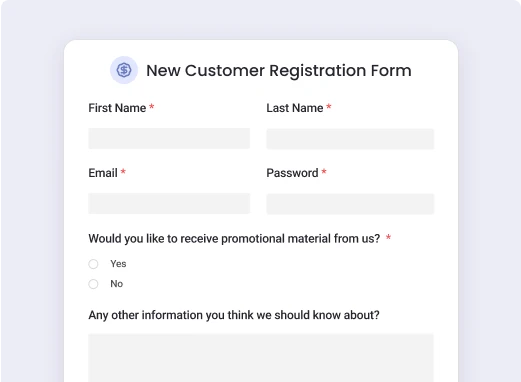
New Customer Registration Form
Use this versatile new customer registration form to efficiently collect key information, onboarding, and create personalized customer profiles for your...
Easy and Seamless User Registration Experience

Launch Ready-to-Use Templates
Start with one of our professionally designed templates and customize it to match your branding and unique requirements.

Build Role-Based Registrations
Assign user roles directly through your forms, allowing you to control permissions and streamline onboarding.

Enable Multi-Step Registrations
Simplify complex registration processes by splitting them into multiple steps, making it easier for users to complete their sign-up.

Set Up Conditional Fields
Show or hide specific fields based on user selections to create dynamic, personalized registration experiences.

Add File Upload Fields
Let users upload documents, images, or other files during registration for memberships, applications, or gated content.

Integrate Payment Gateways
Accept payments or subscriptions directly through your registration forms using seamless payment integrations.

Restrict Content Access
Pair your registration forms with membership features to create gated content accessible only to specific user roles.

Track User Activity
Monitor and manage new user registrations directly from your dashboard, making it easy to stay organized.

Go Live in Minutes
Once your registration form is set up, embed it on your site with a simple shortcode or block. That’s it!
Create WordPress Registration Forms in a minutes.
User Registration enables you to create powerful registration forms with extensive customization options in just minutes.