
Advanced Fields for WordPress Registration Form
Advanced Fields adds 11 professional field types to your WordPress registration form, so you can capture more than a name and email.
Trusted by 60,000+ WordPress Sites

WordPress

4.8/5

G2
4.9/5

Advanced Form Fields for Complex Registration Needs
The Advanced Fields add-on gives your WordPress registration form 11 additional field types on top of the 23 already included free.

Layout and display
Structure a form and guide the person filling it out, without collecting new data yourself.

Section Title — Divide long forms into clear sections like “Personal Information” or “Preferences.”
HTML — Add custom content, instructions, or embedded video; display only, doesn’t collect input.
Hidden Field — Invisibly store data like referral sources, UTM parameters, or conditional logic triggers — nothing the person filling out the form ever sees.
Custom URL — Collect a URL from the person filling out the form, like their website or portfolio link.

Data collection
Capture the specific answers a standard text field can’t handle cleanly.
Time Picker — Let people pick a time visually for appointments, events, or scheduling.
Phone — Validate phone numbers with a custom input mask, or Smart mode that adds country flags and automatic formatting.
WYSIWYG — Accept formatted bios or descriptions with bold, italics, and lists, no HTML required.
Select2 — A searchable dropdown with infinite scrolling, built for long lists like country selection.
Multi Select2 — Searchable multiple-choice selection, with an optional “select all” and a configurable minimum.
Range/Slider — Collect a numeric value like budget, age, or a rating through a visual slider.
Profile Picture — Let people upload a photo during registration.
Configure Each Field for How You’ll Actually Use It
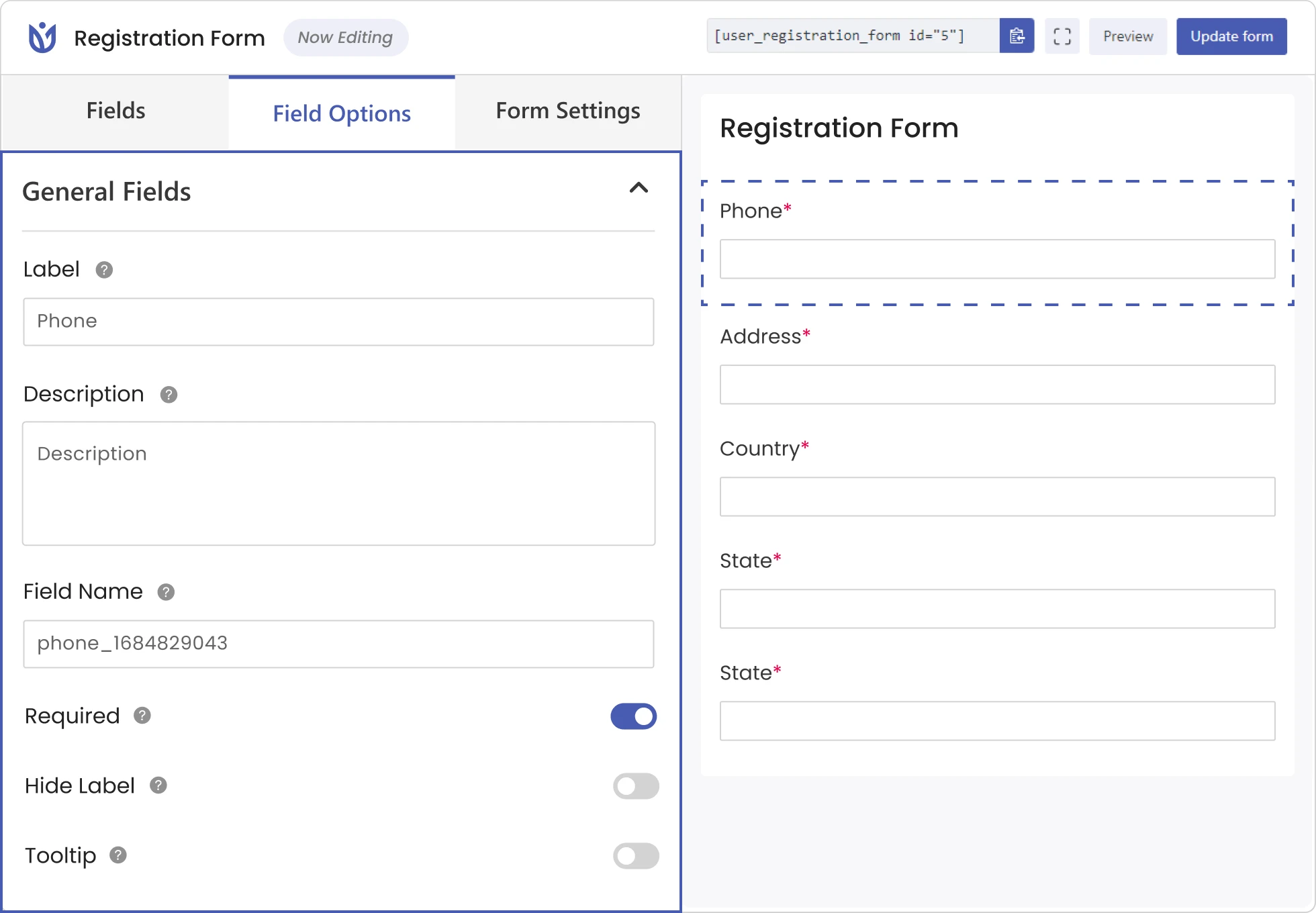
Each Advanced Field has its own settings panel. You can configure them from the same Field Options panel you use for every other field
Set label, add description and change Field Name as you do with other fields.
Unlock field setting unique to each form field.
Combine Advanced Fields with Conditional Logic to show or hide it based on an earlier answer.
Add custom CSS classes for further customization.
Get Started with Advanced Form Fields

Activate the Add-on
Turn on Advanced Fields from Addons. A new set of fields appears in the registration form builder.

Drag a Field into your Form
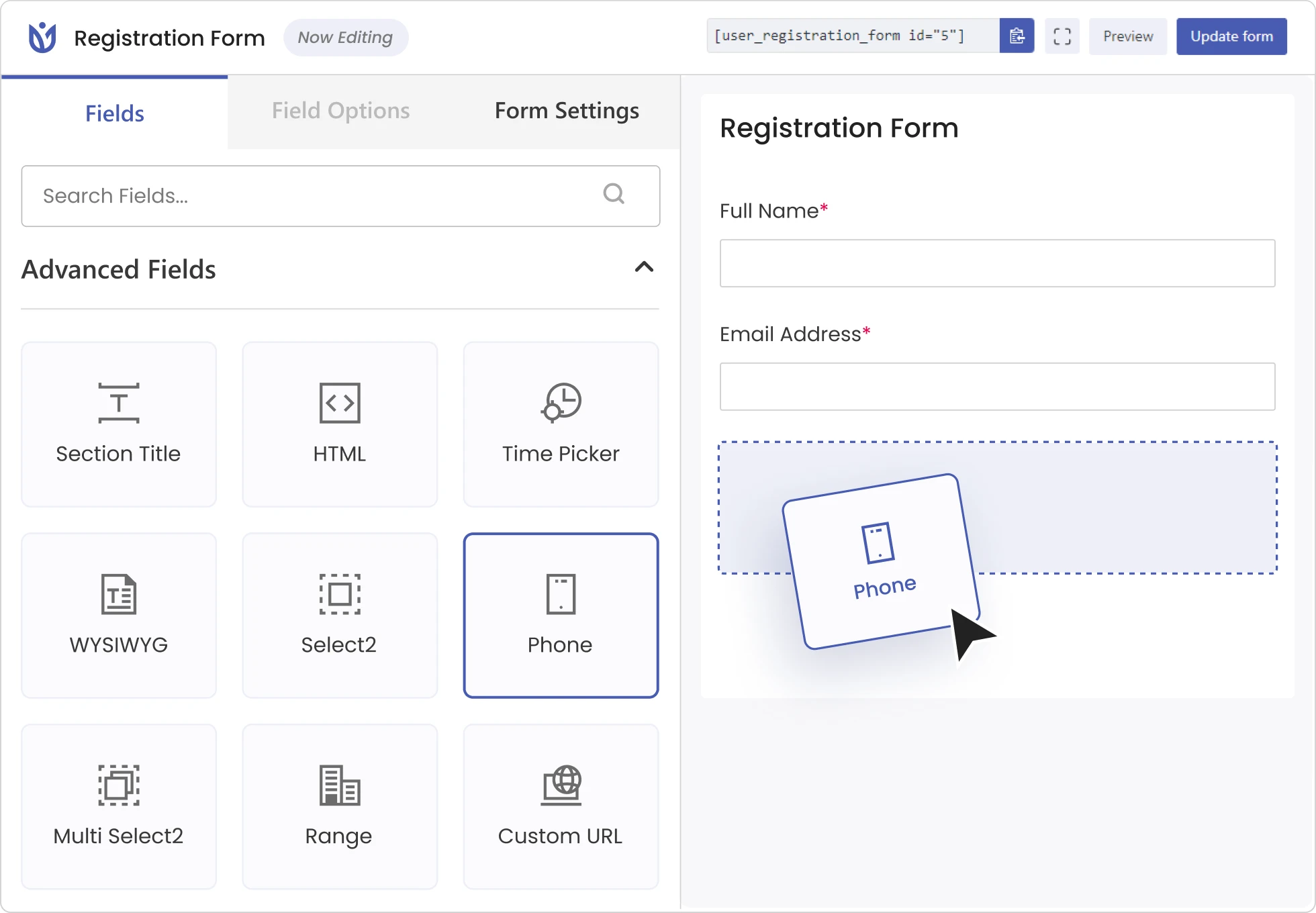
Drag and drop the preferred Advanced fields to your registration form.

Configure Fields Settings
Set Field labels, select formats, and configure validation (e.g., Smart mode for Phone).

Combine with Conditional Logic
Reveal a WYSIWYG bio field only for a specific user role, or a Time Picker only when someone selects “Schedule Appointment.”

Explore the Full Form Field Library
Advanced Fields is one layer of a larger library. User Registration & Membership supports 60+ input fields.
The free plugin ships the basic fields. WooCommerce shipping, billing, and payment fields unlock through separate add-ons.
Frequently Asked Questions
Read our common queries regarding Advanced Registration Form Fields.
Yes. Advanced Fields is a premium add-on available on the Personal plan and above.
Yes. Combine Advanced Fields with conditional logic to show or hide fields based on what user inputs during registration.
Yes. The Default format lets you define your own input mask, while Smart format adds country flags with automatic country-based validation.
No. WooCommerce billing and shipping fields unlock with a separate add-on. Advanced Fields covers 11 different field types including Time Picker, WYSIWYG, and Phone.
Use Your Registration Form to Capture Complex Data
Activate Advanced Fields and start building forms that capture more than the basics.